Three exit protocols
SOCKS5, HTTP CONNECT and HTTPS, all with username and password. HTTPS must pass certificate validation, with no option to skip it.
ROUTE / 3.1Claude Route 3.1 · Native Windows desktop app
It identifies Claude connections by domain and desktop process and sends them to a fixed exit you choose. Other sites, other apps and your existing nodes stay exactly as they were.
Keep your browser, your logins and your subscription nodes. Claude Route just lays one more line on your existing network: Claude takes that line, and everything else stays on its usual path.
01 · One-click deploy
Enter the final exit: SOCKS5, HTTP CONNECT or HTTPS. If this PC can't reach the exit directly, go through a relay first.
Finds the running config and control API of Clash Verge or another Mihomo client, then confirms TUN is on and the mode is Rule.
Runs a real HTTPS test through the relay and exit. The public IP and country must match what you entered, or the tunnel stays locked.
Creates a private backup first, then writes and checks rules for the selected domains. Recognised connections can be reconnected if needed.
02 · Interface
A standalone Win32 window with no WebView, Node.js or .NET. Icons are one set of vector lines, rendered live at your display scale.
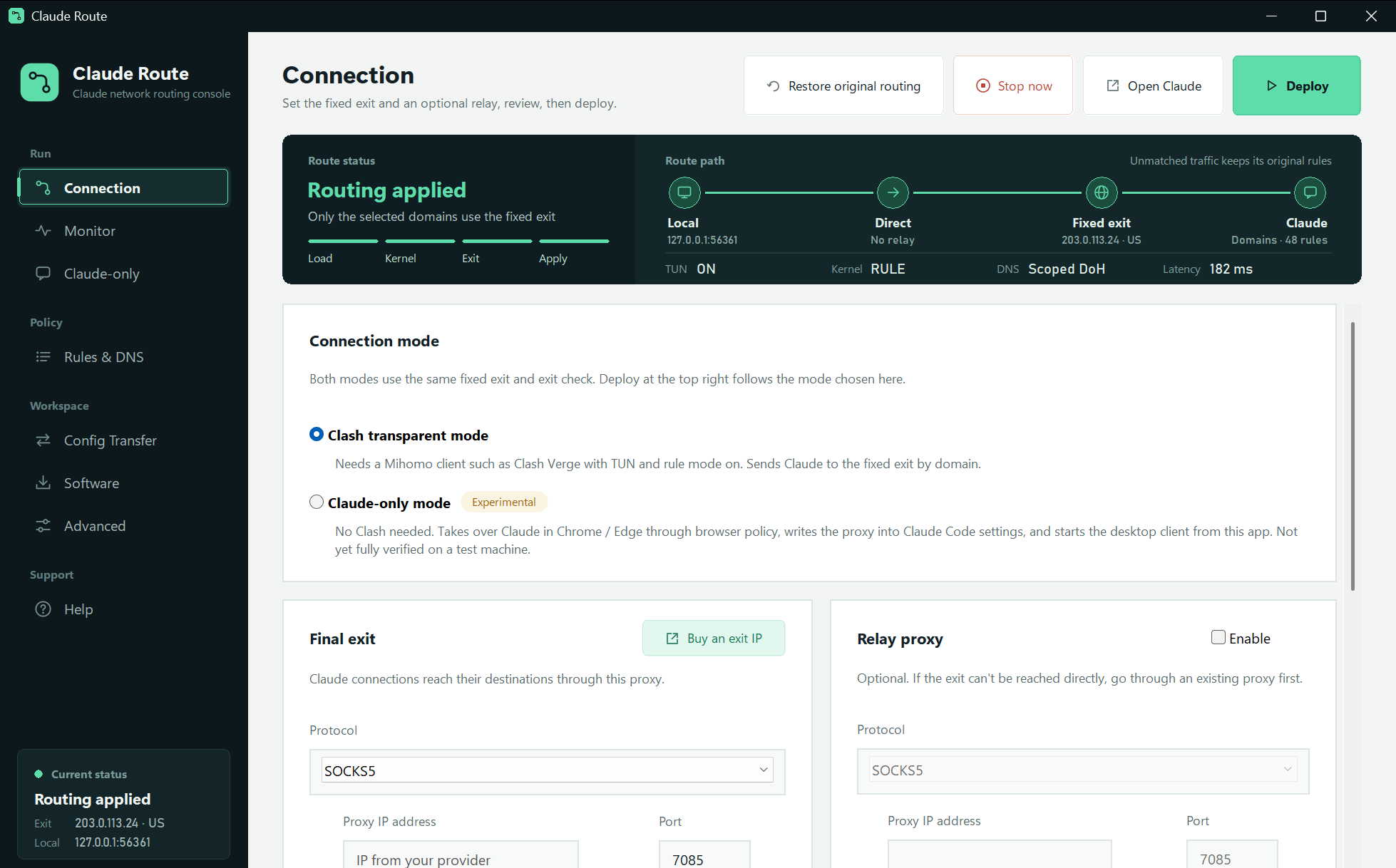
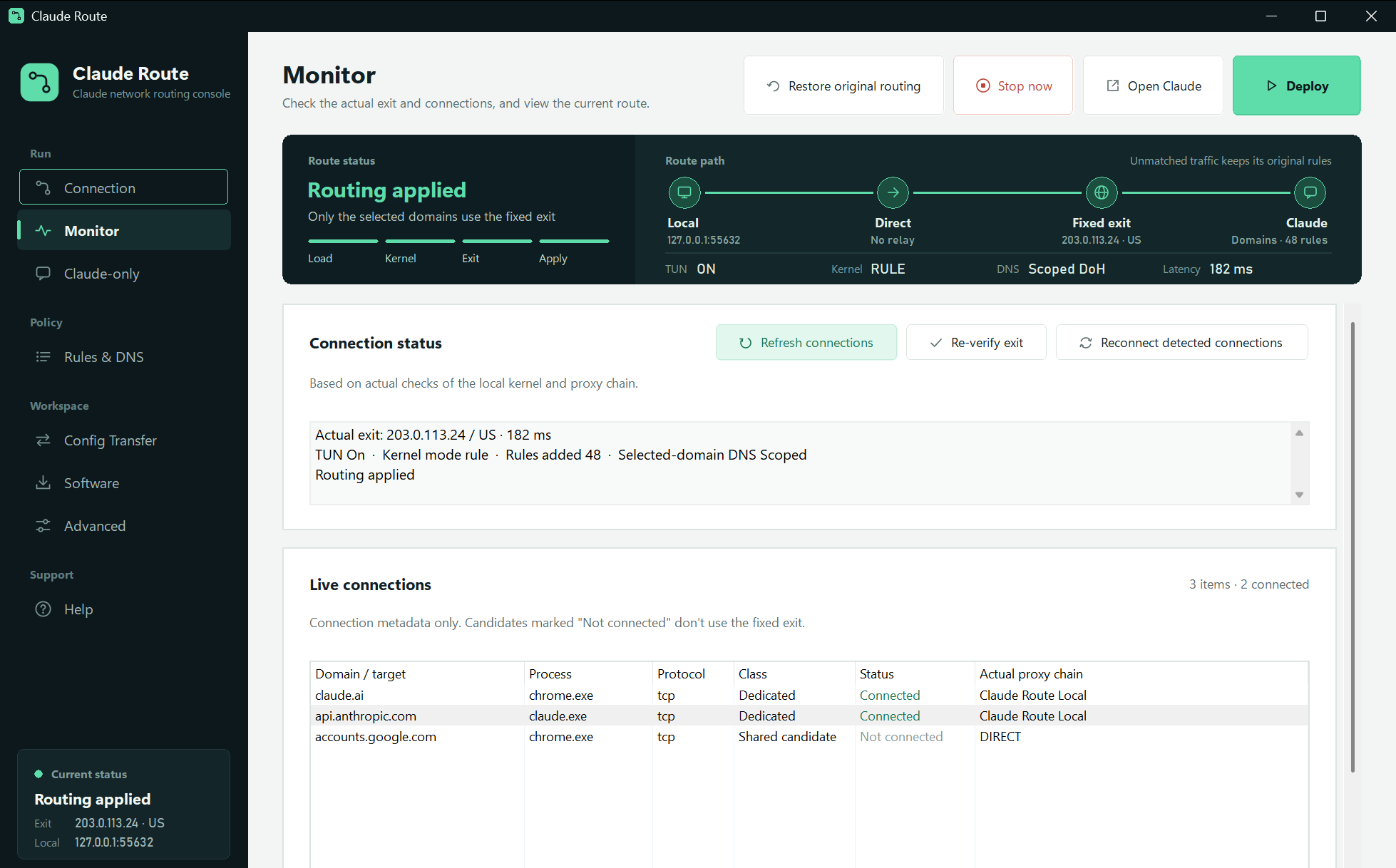
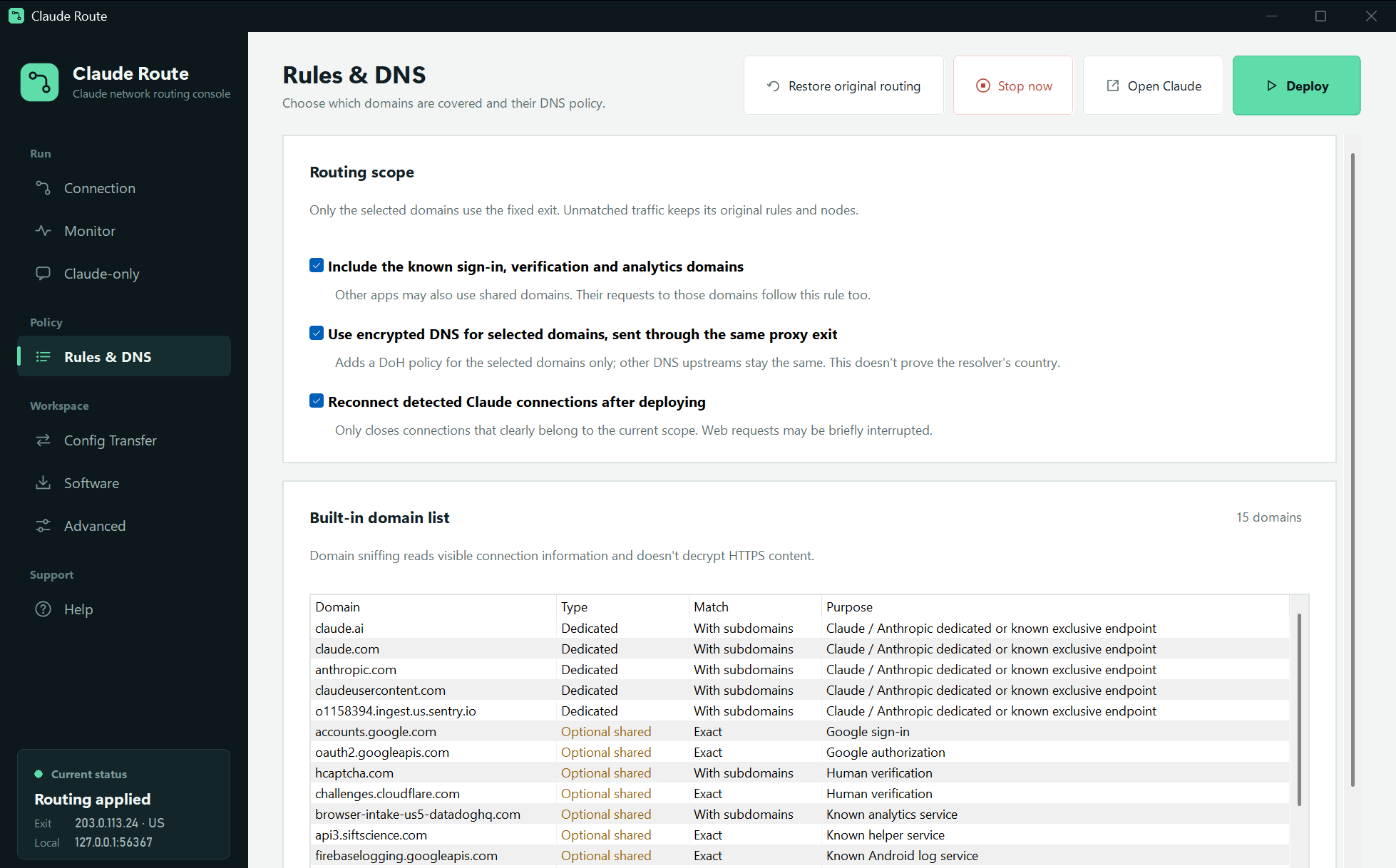
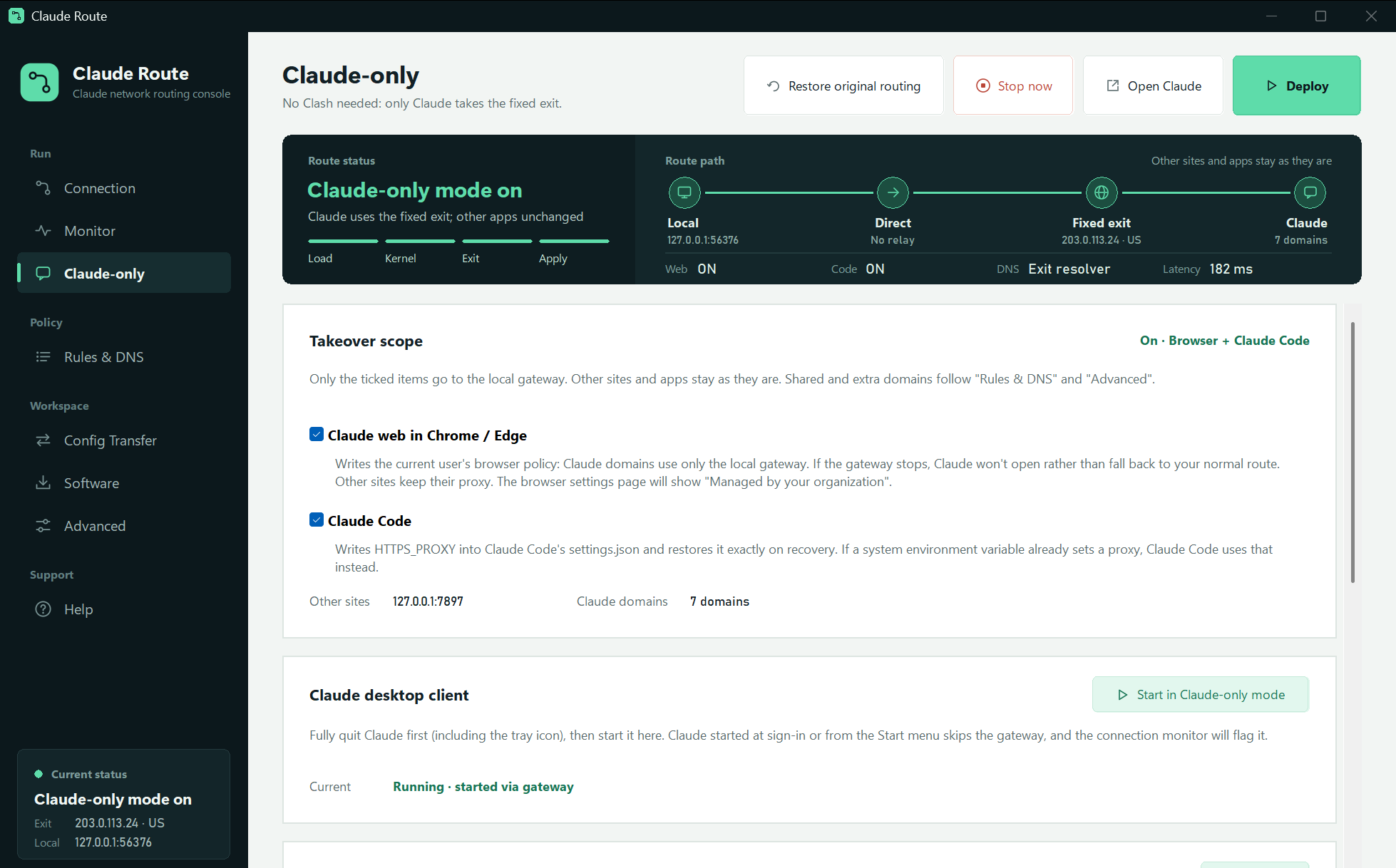
Enter the exit, pick a relay and mode, then deploy from the top right.
03 · Modes
04 · Fail-closed
If the exit, relay or gateway fails, connections through the local gateway never fall back to your normal route.
Checks run at intervals, so blocking may not be instant. Only connections entering the local gateway are protected. Traffic with TUN off or outside the rules is not covered.
05 · Details
SOCKS5, HTTP CONNECT and HTTPS, all with username and password. HTTPS must pass certificate validation, with no option to skip it.
Local gateway, optional relay, final exit, service. If the exit is unreachable, go through a proxy already on this PC.
Adds one DoH policy for the selected domains, sent through the same exit. All other DNS settings stay the same.
Saves the original config and its SHA-256. It refuses to overwrite outside changes, and restores exactly from the backup.
AES-256-GCM export with 600,000 key-derivation rounds. Cookies and account logins are not transferred.
No root certificate, no HTTPS decryption, no reading of chats, no changes to browser fingerprint or system time zone.
06 · Limits
Service providers decide account restrictions on many factors, which may include registration and payment details, usage, device and network. An exit IP is only one network condition.
Follow the terms of service and the laws where you live. Check the officially supported regions, and use the official appeals channel for account issues.
There is no persistent OS-level kill switch. "Running" does not mean all traffic is covered.
Unknown domains, ECH, apps' own encrypted DNS and existing connections all have limits. Seeing no connection the first time does not prove full coverage.
Version 3.1.0. Installs for the current user, needs no administrator rights, and picks x64 or ARM64 automatically.
Download installer9.3 MBThe app isn't commercially code-signed yet, so Windows may warn about an unknown publisher. Use the SHA-256 above to check the file. The ARM64 build is cross-compiled and hasn't run on real hardware. There is no macOS version yet. Downloading and using it means you accept the disclaimer at the bottom of this page.
Need a fixed exit?The final exit needs a long-term fixed proxy IP that supports SOCKS5 or HTTP. MyIPLink offers static residential IPs, and similar services work too.FAQ
Transparent mode needs a Mihomo kernel with TUN on, and any compatible client you already have works. Claude-only mode doesn't need Clash, but it's still experimental.
The app doesn't provide a proxy. Bring your own long-term fixed exit that supports SOCKS5 or HTTP, and enter its confirmed public IP and two-letter country code. They must match the HTTPS test. A server's IP isn't always its real exit IP.
Click "Restore original routing" and wait for the success message before closing the window. Do this before uninstalling too. Uninstalling removes only the program files and keeps the private recovery backup in AppData.
Subscription updates can rewrite the running config, and the app won't blindly overwrite outside changes. Click "Restore original routing", then deploy again.
Export it with encryption under Config Transfer, install the network components on the new PC, import it, then deploy. Cookies and Claude logins are not transferred.
Only Windows x64 and ARM64 for now. A native macOS desktop app isn't available yet.